What Is Custom Software Development?
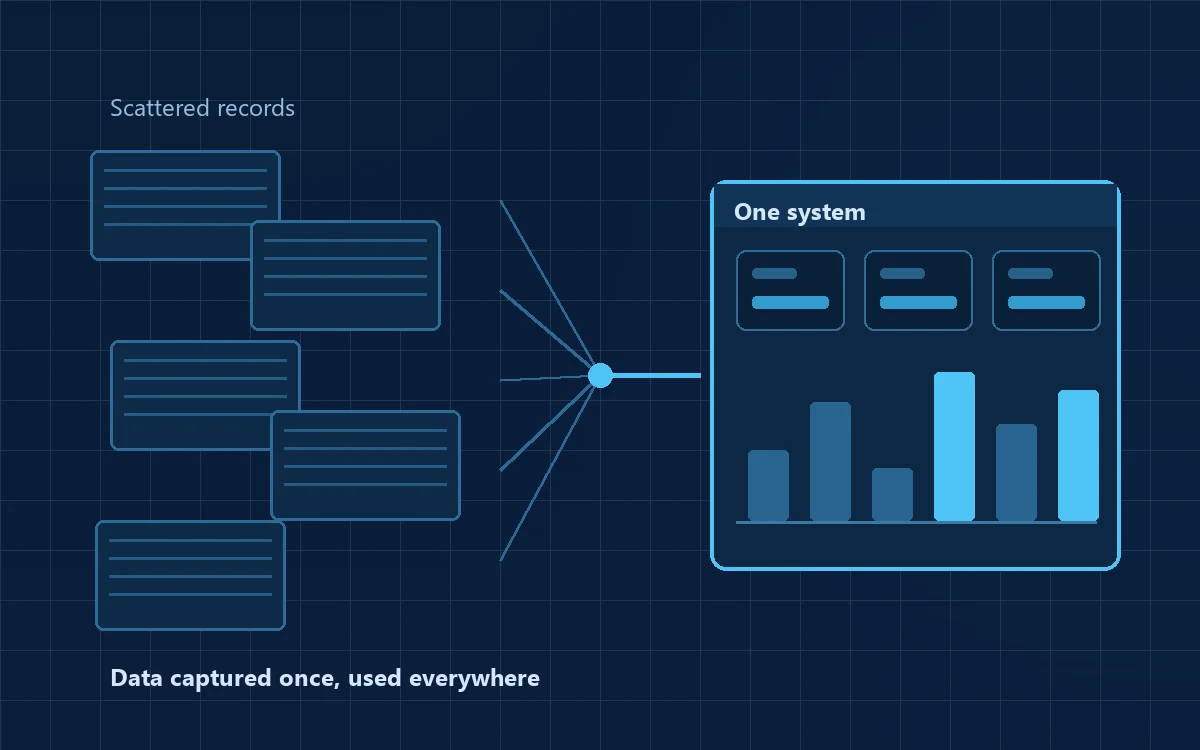
A distributor is having a reasonably good year. Orders arrive on WhatsApp — some on the owner's phone, some on a sales executive's, a few still over a call. Stock sits in an Excel file on one laptop, with a second copy nobody trusts. Invoices are raised in a billing package that does not talk to the stock file. Month-end reporting means one person sitting late with four files, reconciling by hand.
Nothing here is broken, exactly. It worked at ten orders a day. At sixty, it leaks.
Custom software is software designed and built around one organisation's processes, users and objectives, rather than bought off the shelf and adapted. A ready-made inventory product assumes a particular way of receiving, storing and issuing goods. If your business works that way, it fits. If your goods arrive in mixed lots, get graded on arrival, are stored by grade rather than by SKU and are billed on weight rather than count, you will spend two years working around the product instead of with it.
In practice, custom business software usually covers some combination of inventory, customer and employee management, order management, billing, vendor management, approval workflows, field operations, reporting dashboards, asset tracking, internal and customer portals. Most projects are not one of these — they are three or four connected together, which is usually the real reason a business outgrows the separate tools it was using for each.
Custom vs Ready-Made Software
This is often presented as though custom always wins. It does not. Both models are legitimate and suit different situations.
| Factor | Custom software | Off-the-shelf / SaaS |
|---|---|---|
| Initial cost | Higher upfront — you pay for design and build | Low or zero to start; ongoing subscription |
| Customisation | Built to your process; change is possible by design | Limited to the vendor's settings |
| Implementation time | Weeks to months, depending on scope | Often usable within days |
| Ownership | You can own the source code and data outright | You licence access; the vendor owns the product |
| Integrations | Built to connect to whatever you already run | Only what the vendor supports |
| Maintenance | Your responsibility, usually via an annual contract | Included in the subscription |
| Process fit | High — software follows your process | Variable — you often adapt to the software |
| Cost pattern | Larger upfront, lower recurring | Low upfront, recurring cost that grows with users |
A workable rule: if the requirement is standard — accounting, payroll, email, basic billing — buy it. Products in these categories are mature, cheaper and better tested than anything a small project can build. Reserve custom development for the parts of your business that are genuinely specific to you, then integrate.
Many of the soundest projects are hybrid: a purchased accounting package, a purchased HR tool, and a custom application for the operational core no product handles well.
When Does a Business Actually Need It?
Practical signals, drawn from how these conversations usually begin:
- Excel is doing too much. One file has become fifteen sheets, and one person is the only one who understands the formulas.
- Work runs through WhatsApp. Orders and approvals live in chat history; when someone leaves, the record leaves with them.
- The same data is typed more than once — into a chat, a stock sheet, then the billing software.
- Duplicate records. The same customer exists three times with three spellings and three balances.
- Disconnected applications. Billing does not know what stock says; stock does not know what dispatch says.
- Reports take effort. If “what did we dispatch last week, by customer” takes two hours, the data is not organised for the business.
- No real-time visibility. The owner cannot see today's position today.
- Informal approvals. Discounts are approved verbally, and nobody can reconstruct who approved what.
- Existing software cannot support the workflow. You keep a parallel spreadsheet to cover the gaps — that spreadsheet is your requirement document.
- The business is scaling. A new branch or second shift, and the informal system does not survive the copy-paste.
- Customers want self-service — order status, statements or booking without calling.
- Field teams need digital tools. Site supervisors record work on paper that reaches the office days later.
If two or three apply, it is worth a proper conversation. If only one applies, fix that one thing first — often without software.
What Can Be Built, and For Whom
Business automation is not one product that solves everything. It works by taking specific, repetitive, rule-based steps out of people's heads. A realistic view by sector:
- Manufacturing — raw material and finished goods inventory, production and batch tracking, quality control and rejection reasons, vendor management, dispatch documentation.
- Retail and distribution — stock across locations, order capture, customer records and credit limits, sales reporting by product or salesperson.
- Service businesses — lead capture and follow-up, quotations with version history, project tracking, milestone billing, support tickets.
- Educational institutions — admissions enquiries, student records, attendance, fee collection and receipts, internal approvals.
- Logistics — order booking, vehicle and trip records, delivery status and proof of delivery, consignment documentation.
- Hospitality — bookings and availability, guest records, banquet enquiries, housekeeping requests, seasonal planning.
- Healthcare organisations — appointments, patient records within applicable regulations, billing, consumables inventory, follow-up tracking.
- Waste management and recycling — collection records, material inflow and outflow by category and weight, vendor and customer records, compliance documentation.
Two cautions. Automating a bad process gives you a fast bad process, so the mapping work matters more than the code. And no single application solves every problem in an organisation — any proposal claiming otherwise deserves scrutiny.
Web application development covers most business requirements, because a browser-based system runs on any device and updates for everyone at once. A mobile application justifies its additional cost when users work away from a desk, need the camera or location, or must work offline.
The Development Process
Good software work begins with understanding a problem, not with writing code.
Business problem → Requirement analysis → Workflow mapping → Solution planning → UI/UX → Technology selection → MVP → Development → Testing → Deployment → Training → Maintenance
Business problem. Stated in business terms. “We cannot tell a customer their order status without three calls” is a problem. “We need an ERP” is a proposed solution, and often the wrong one.
Requirement analysis. Sitting with the people who do the work, not only the owner. The accounts assistant and the storekeeper know the exceptions that will break the system, and exceptions are where projects fail.
Workflow mapping. Recording how the process runs today, including the informal steps. This stage often identifies steps that should be removed rather than digitised.
Solution planning. Modules, user roles, permissions, and what is in scope for the first release. A written scope document belongs here — without one there is no basis for a quotation, a timeline, or a disagreement settled later.
UI/UX design. Screens and flows before development. Changing a screen at design stage costs an hour; changing it after development costs days.
Technology selection. Chosen for expected users, data volume, offline needs, integrations, hosting preference and the availability of developers who can maintain it later. It should be justified in plain terms, not asserted.
Development and testing. Built in modules, with something demonstrable at regular intervals — long silences between kickoff and delivery are a warning sign. Then functional testing, role and permission testing, data validation, and user acceptance testing by the people who will actually use it. Their sign-off matters more than the developer's.
Deployment, training and maintenance. Hosting configured, data migrated from existing sheets, backups set up, access handed over, short training sessions by role. Adoption failures are usually training failures, not software failures. Software that is not maintained becomes a liability within two years.
What Is an MVP, and When Is It Useful?
An MVP — Minimum Viable Product — is a first version containing only what is needed to solve the main problem, released early so real users can work with it.
Suppose the initial wish-list runs to thirty features. An MVP approach asks which five to eight address the actual pain. Build those, put them into daily use for a few weeks, and let real difficulty decide the next priorities. In most projects that reorders the remaining list considerably, and some features are never built at all because nobody needed them.
The benefits are practical: lower initial cost, faster time to something usable, and decisions informed by usage rather than assumption.
An MVP is not right for everything. Where a system must be complete to be legally or operationally usable — statutory reporting, or a process that cannot run half-digitised — a phased release may just create two systems running in parallel. Worth discussing honestly before choosing. Our guide to taking an idea to a product covers this decision in more depth.
Cost and Timelines
There is no honest fixed price, and any figure quoted before a requirement discussion is a guess dressed up as a quotation. Cost is determined by:
- Project complexity — how many business rules and exceptions the system must handle
- Number of user roles, and how differently each role sees the system
- Number of modules and how tightly they are connected
- UI/UX requirements — a standard admin interface costs far less than a designed customer-facing product
- Web, mobile or both — a mobile app is an additional build, not a setting
- Backend complexity — calculations, scheduling, background processing
- Integrations with existing software, and APIs consumed or exposed
- Third-party services — payment gateways, SMS, WhatsApp Business API, maps, e-invoicing
- Security requirements — role-based access, audit trails, data protection obligations
- Reporting — fixed reports are inexpensive; configurable analytics are not
- Cloud infrastructure — hosting, storage and backup, which recur
- Testing depth, deployment, data migration and ongoing maintenance
A serious quotation breaks cost into modules and phases, so you can see what you are paying for and defer parts of it. A lump sum with no breakdown gives you nothing to negotiate with and no way to reduce scope if the budget is tight. Ask for recurring costs — hosting, third-party charges, annual maintenance — separately, so the first-year total is visible rather than discovered later.
Timelines follow scope, and a phase structure is more useful than a single delivery date: requirement analysis, prototype or MVP, core development, testing, deployment, then improvements. Two things reliably extend timelines and neither is technical: delayed feedback from the client side, and scope added mid-project without a matching change to time and cost. Both are manageable if agreed in advance — nominate one person on your side who can decide, and settle how change requests will be handled before development starts.
Choosing a Development Partner
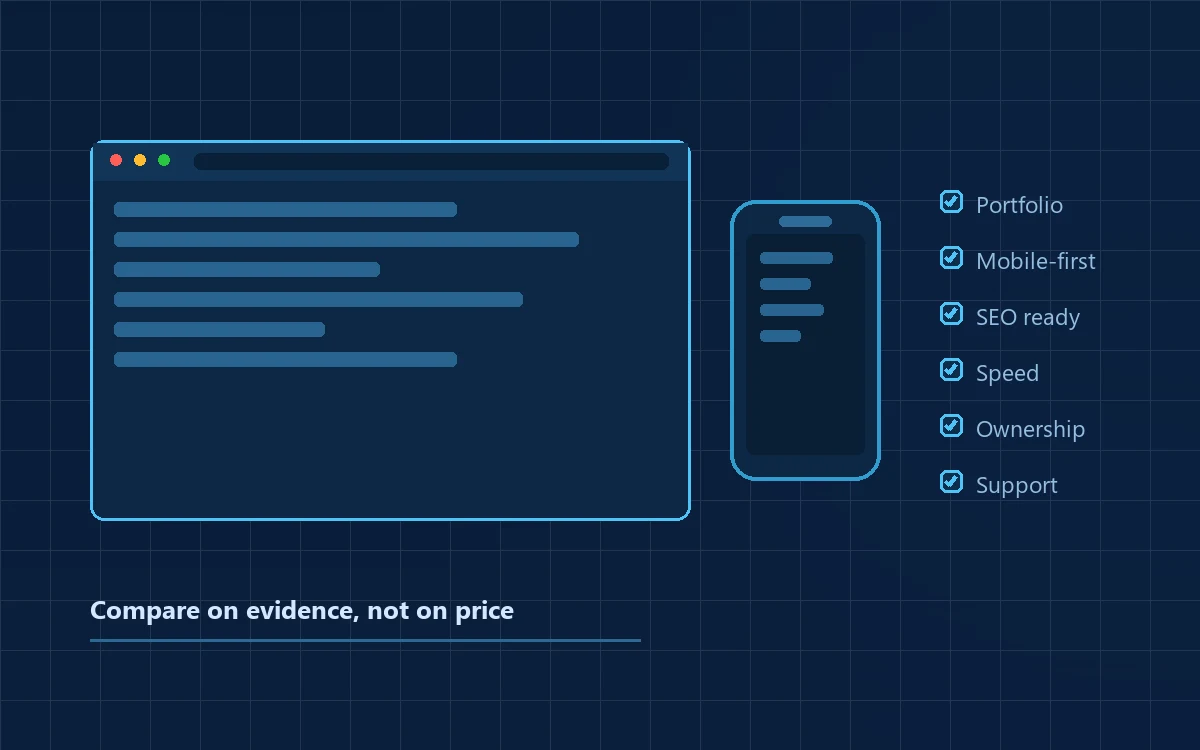
A checklist to use during discussions:
- Understanding of requirements — did they ask about your process, or only about features?
- Previous experience — work they can show and explain, including what went wrong and how it was handled
- Technical capability — can they justify their technology choices in plain language?
- UI/UX capability — will your staff use it without constant hand-holding?
- Methodology — how work is broken up and demonstrated
- Communication — a named point of contact and a fixed review rhythm
- Documentation — scope document, screen designs and handover documentation as deliverables
- Testing process — who tests, what is tested, and how acceptance testing is run
- Security practices — access control, data handling and applicable data protection obligations
- Scalability planning — what happens at ten times the data or users
- Source-code ownership — stated in writing, in the agreement
- Data ownership — your business data is yours; confirm how you can export it
- Hosting and cloud access — ideally in your own account, with you holding the credentials
- Maintenance and support — what the annual contract covers and what is billed separately
- Transparent quotations — module-wise, with recurring costs shown separately
Points 11, 12 and 13 deserve particular attention. They are rarely disputed at the start of a project and frequently disputed at the end of one.
Red flags
- A quotation before a requirement discussion. A price set without understanding the process will change later.
- Everything promised immediately. Every feature, every integration, no trade-offs — that is a sales conversation, not a plan.
- No written scope. Without it, “that was not included” becomes unanswerable.
- Unclear source-code ownership. If it is not written down, assume it is not yours.
- No documentation or testing process. You become permanently dependent on one team, and your staff become the testers during live operations.
- No backup strategy. Ask how backups are taken and when one was last restored.
- Vendor lock-in without transparency. Hosting in the developer's account, no credentials shared, no export path.
- An unusually cheap quotation or short timeline. Software cost is largely people's time; a price well below market means less of it — on analysis, testing or documentation.
A good development partner will tell you honestly when custom software is not the right answer, even when that costs them the project. That single response is a reliable signal.
How MPRO 9 Approaches Custom Software
MPRO 9 is an intelligent technology solutions company based in Mysuru, with an office in Dubai. Our work covers web application development and mobile applications, enterprise software, cloud applications, AI and intelligent automation, and embedded and IoT product development. We also build our own products — including WASTRAQ for waste management operations, which you can see on our work page — which means we work both as a development partner and as a product team that has to live with its own architectural decisions.
Our approach starts from a simple position: understand the problem before building the software. The first conversation is about your process rather than our technology stack. We would rather spend an hour understanding how orders actually move through your business than an hour presenting capabilities.
We work with organisations in several different starting positions:
- You already know what software you need. We review the requirement, flag anything likely to cause problems later, and scope it.
- You have a business problem but no technical solution. We map the workflow and propose options — which may include recommending an existing product instead of a custom build.
- You want to digitise a manual workflow — paper registers, field records, physical approvals.
- You want to replace Excel or paper processes with something the whole team can use at once.
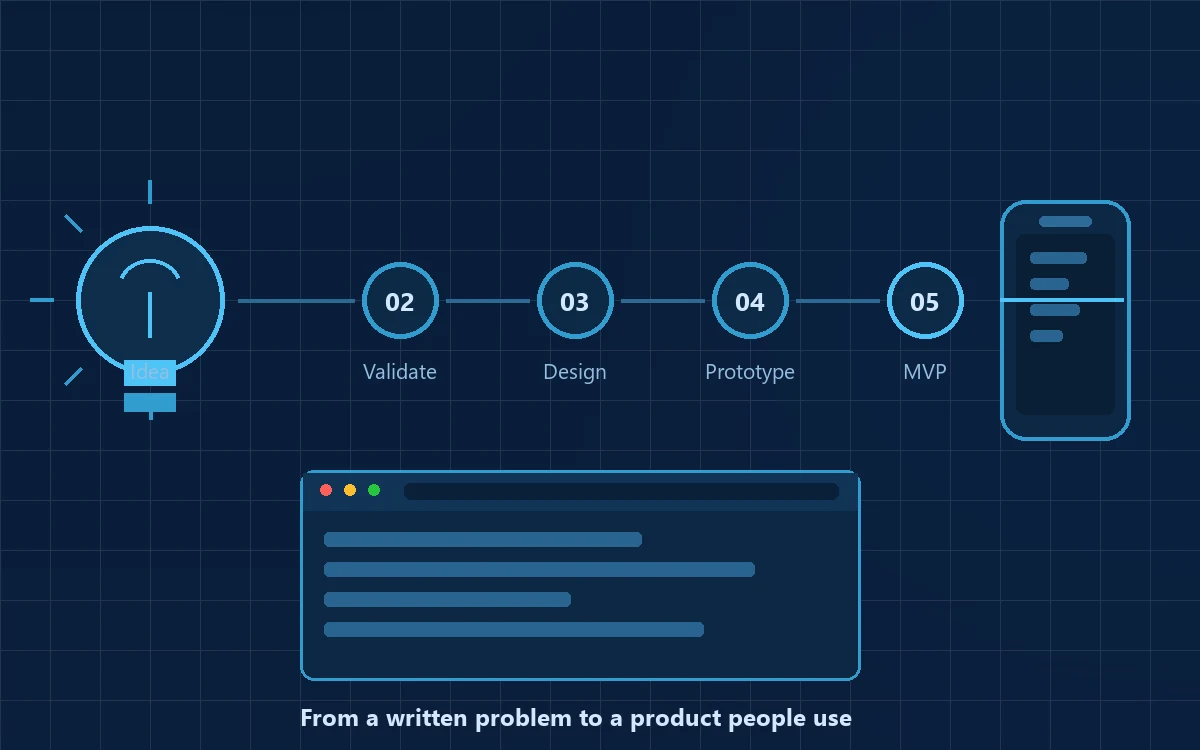
- You have an idea for a new digital product — taking a concept through validation, MVP definition and build.
If custom software is not the right answer for your situation, we will say so. A project built on a poor fit is not useful to you and not a good reference for us.
From Business Problem to Solution
Return to the distributor. Orders on WhatsApp, stock in Excel, invoices in a separate package, reports assembled by hand.
Mapping would establish where information is created, where it is re-entered, and where it goes missing. A likely shape for the solution:
Customer / order entry → Inventory check and allocation → Order processing → Status tracking → Billing → Dashboard → Reports
Each stage removes a manual re-entry. The order is captured once and every later stage reads that record rather than a re-typed copy. Stock reduces when the order is allocated, not when someone remembers to update a sheet. The customer sees status without a phone call. The owner opens a dashboard instead of reconciling four files at month end.
Whether this particular structure is right depends entirely on the business. A distributor with consignment stock, a manufacturer with batch traceability and a service company with milestone billing each need a different architecture. The value of mapping is that it produces a structure fitted to one business rather than a generic template — which is the whole argument for custom software.
Conclusion
The weakest reason to build software is that everyone is talking about digital transformation. The strongest is a specific problem that costs you money, time or accuracy every week and that no available product solves cleanly.
So the first question is not “which technology” or “how much”. It is: what business problem are we trying to solve? Everything useful follows from a clear answer — the scope, the cost, the timeline, and the ability to tell afterwards whether it worked.
Good software should reduce duplicate work, let information move without being re-typed, give the people running the business a reliable view of what is happening, and change as the business changes. If a proposal does not obviously do those things, it is worth another conversation before committing.
Start with your workflow rather than a feature list. Map how work actually moves through your organisation today, mark where it stalls or gets re-entered, and take that to whichever partner you are evaluating. That conversation will tell you quickly whether custom software is warranted.